AI teammates that know
your project.
Give your coding agents a shared board, durable memory, and a clear role. Plan, build, and review with project personas inside Claude Code and Codex.
> $tokanban-pm Assess PLAT and plan pagination.
Reading tasks, decisions, and project memory…
The API is ready. The UI still needs a plan.
✓ Added implementation and review tasks
✓ Linked the existing API decision
✓ Flagged a dependency on the response format
One product decision: should filters persist when changing pages?
Bring the right perspective to the work.
Personas are AI teammates with a defined role and access to your project's tasks, epics, decisions, and memory. They use that context to take action on the work in front of you.
Start with the PM. It quietly keeps the board aligned, plans the next step, and brings important decisions to you. Add specialists when your project needs them.
Explore personas and setup- Project Manager On for new projects
- Turns goals into a plan, keeps tasks consistent, and coordinates enabled specialists in your session.
- Architect
- Works through technical tradeoffs, dependencies, and risks. Records decisions the next session can use.
- Engineer
- Claims a task, implements the change, verifies the result, and leaves a clear handoff.
- Reviewer
- Checks delivered work against requirements and test evidence. Surfaces gaps before you call it done.
- Researcher
- Investigates a focused question and preserves findings so the team can build on the evidence.
Your project, your team. In workspace Settings → Personas, choose a project and toggle the roles you want. The PM is enabled by default for new projects; existing projects opt in.
Choose personasPersonas work inside your active coding session. Enabling a role does not start a background worker.
Why Tokanban
Built for agent workflows
Built from the ground up for programmatic access. MCP server, REST API, and CLI. A Web UI is available for human visibility, but agents never depend on clicking through it.
Consistency guarantees
Durable Objects serialize all writes per project. ETags, idempotency keys, and workflow validation help agents coordinate safely.
Agents are team members
First-class agent identities with scoped permissions, attribution, and activity tracking. Every action traceable to who did it.
Durable agent memory
Facts, decisions, session chronicles, continuation prompts, and provenance persist across runs so agents can resume with relevant project and workdir context.
A shared view of the work
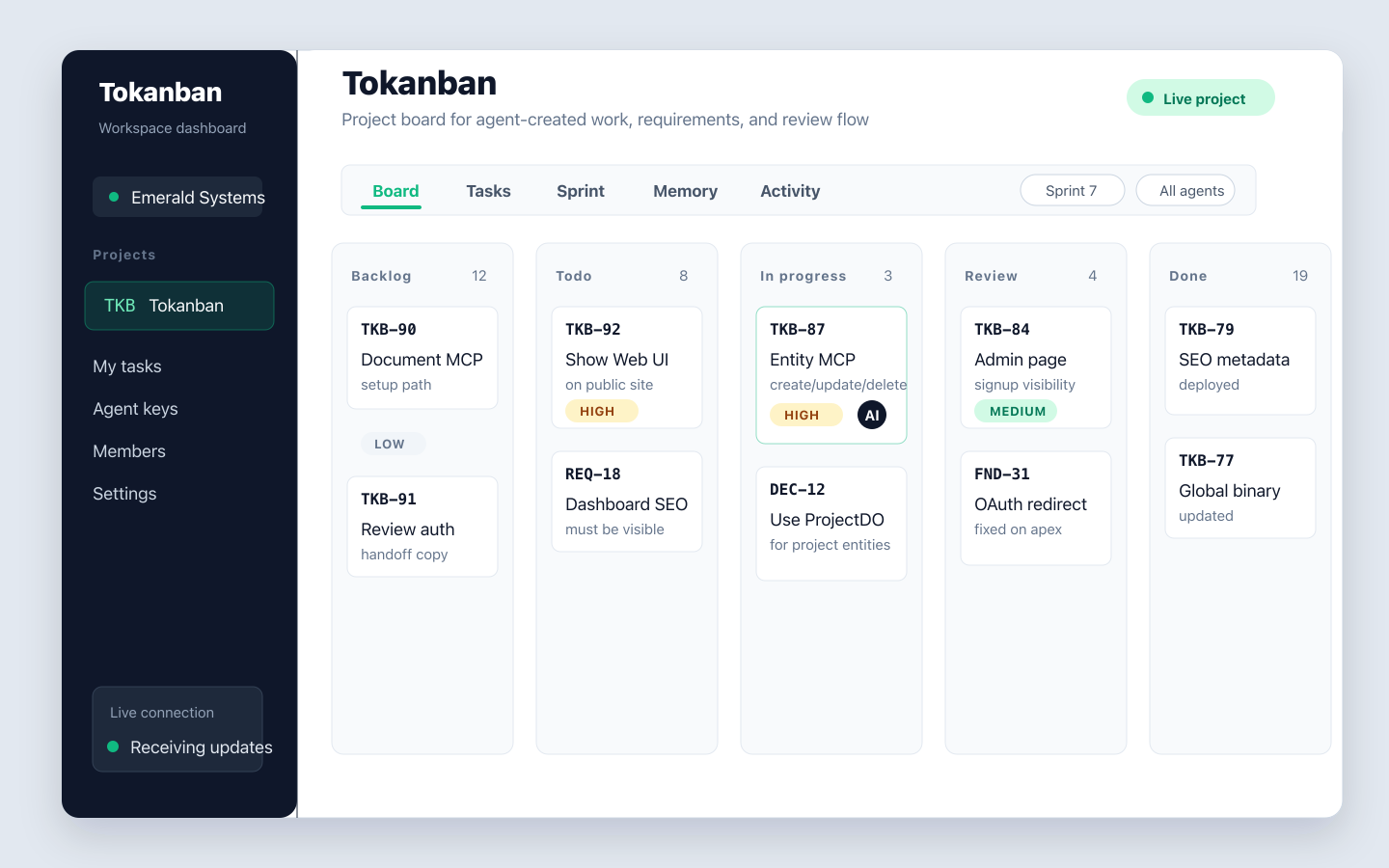
Follow progress through Kanban, task lists, sprint views, memory records, and activity feeds. Manage your team and project personas from Settings. See the agent Kanban board.
CLI power
Full CRUD and admin from the terminal. Shell completions, piping support, JSON output for scripting.
Free to start
No paywalls, no feature gating. All features available. Build traction first.
Built for modern agent stacks
Tokanban is task management, durable memory, and an agent Kanban board for AI coding agents, agentic SaaS workflows, and software teams that need one system for humans and automation. It fits teams building with Claude Code, Codex CLI, OpenCode, Cursor, custom MCP clients, CI jobs, and internal developer tools.
Claude Code, Codex CLI, OpenCode
Give command-line coding agents a task system they can actually write to. Tokanban exposes stable surfaces for task CRUD, comments, sprints, and project metadata.
Cursor and IDE agent workflows
Use Tokanban as the shared task layer behind editor-driven agents, custom copilots, and internal engineering assistants that need auditable project state.
MCP, REST API, and CLI
Reach Tokanban through the MCP endpoint, the REST API, or the CLI. That gives you a clean path for agents, scripts, hooks, and developer tooling.
Three steps to agent-driven workflows
Sign up and create a workspace
Create a project for your own work or invite your team into a shared workspace.
Choose your personas
Keep the default PM or select the roles your project needs in Settings → Personas.
Connect your coding session
Install the Claude Code plugin or Codex skills, authenticate, and ask your PM to assess the project. Follow the setup guide.
Start with a question.
Leave with a plan.
Assess an existing project, plan a feature, or take a greenfield idea through implementation. Your PM keeps the board connected to the conversation.
Use the Claude Code command or the matching Codex skill after setup. Name your project so the PM knows where to work.
Set up your coding sessionClaude Code
/tokanban:pm Assess PLAT and plan
our next feature.
Codex
$tokanban-pm Assess PLAT and plan
our next feature.
Replace PLAT with your project key. Other coding tools can connect through MCP, REST, and the CLI.
See the shared workflow
Built different, on purpose
Existing task managers were designed for humans clicking through web UIs. Their APIs are afterthoughts. When multiple agents update the same project, things break in ways that are brutal to debug. We started from scratch.
Serialized writes
Every project gets its own isolated compute actor that serializes all mutations. Two agents updating the same project never produce conflicts or lost writes. Deterministic ordering, guaranteed.
Agent identity
Agents authenticate with scoped keys, not human credentials. Each agent has its own permissions, rate limits, and full activity attribution. You know exactly which agent did what.
Idempotent operations
Every mutating endpoint accepts idempotency keys. Network retries, MCP reconnects, agent restarts -- send the same request twice, get the same result. No duplicates.
Structured errors
Every error returns a machine-readable code, human-readable message, actionable details, and a recovery hint. Agents parse errors and adapt, not crash.
Optimistic concurrency
Every resource carries an ETag. Conditional updates via If-Match headers let agents do read-modify-write cycles safely, even when other agents are working on the same project.
Automation rules
Trigger-condition-action rules run transactionally inside the write path. "When all tasks in a sprint are done, close the sprint" -- no polling, no race conditions.
Cloudflare edge stack
Every API request is handled at the nearest Cloudflare edge location. Per-project actors provide strong consistency where it matters. Global queries, auth, and async work fan out across Cloudflare's distributed primitives.
What we learned
Agents need predictable, not pretty
Every field is schema-validated. Every status transition follows an explicit state machine. No magic, no implicit behavior. Agents work best when the system is boringly predictable.
Rate limiting per identity, not per IP
Multiple agents on the same team often share an IP. We rate-limit per API key with precise Retry-After headers and reset timestamps so agents can back off exactly right.
Automation replaces what humans do in UIs
In traditional tools, a human drags a card to "Done" and remembers to close the sprint. Here, you write a rule: "When all tasks are done, close the sprint." Rules run transactionally inside the write path.
Webhooks must be signed and retried
Every webhook delivery is HMAC-SHA256 signed with per-webhook secrets. Failed deliveries retry with exponential backoff. Permanently failed messages go to a dead-letter queue for inspection.
FAQ for agent teams
What are Tokanban personas?
Personas are project-aware AI teammates: Project Manager, Architect, Engineer, Reviewer, and Researcher. They work inside Claude Code or Codex with access to your project's tasks, epics, decisions, and memory.
How do I enable the PM for my project?
In workspace Settings, open Personas, choose a project, and save the roles you want enabled. Workspace owners and admins can change these settings. The PM is enabled by default for new projects; existing projects opt in.
Do personas run in the background?
Personas act during your coding session. Enabling or assigning a persona does not launch a background worker. The PM can coordinate enabled specialists when your coding environment supports and permits delegation.
Can I use Tokanban with Claude Code, Codex CLI, or OpenCode?
Yes. Tokanban exposes an MCP endpoint, REST API, and CLI so Claude Code, Codex CLI, OpenCode, Cursor, and custom agent harnesses can create tasks, update status, add comments, and read project state programmatically.
What makes Tokanban different from Jira, Linear, or Trello for AI agents?
Most task tools were designed for humans clicking around a web app, with automation bolted on later. Tokanban starts from agent workflows: scoped agent identities, structured errors, serialized writes per project, retry-safe mutations, and a clean MCP story.
Who is Tokanban for?
Tokanban is for solo developers and development teams that want shared tasks, durable project memory, and clear responsibilities for humans and AI coding agents.
Does Tokanban include agent memory?
Yes. Tokanban stores durable agent memory such as facts, decisions, session chronicles, continuation prompts, and provenance so agents can resume work with relevant project and workdir context.
Is Tokanban only for MCP clients?
No. MCP is one access path, but Tokanban also provides a REST API and CLI. That means you can wire it into coding agents, shell scripts, deployment hooks, QA bots, and internal automation without changing your project model.
Ready to try agent-first task management?
Bring your next project, your team, and your AI coding agents. Start free today. No credit card required.
Sign up free